NetMirror Web App — Stream Free Online
Watch 500K+ movies, web series, anime & live TV in your browser — no download, no install, no APK needed. Works on PC, Mac, iPhone, Android, Smart TV.


What is the NetMirror Web App?
Browser-based version of NetMirror — same content, no install required.
The NetMirror Web App is the browser-based version of NetMirror. Instead of downloading an APK on your phone, you open a URL in any browser (Chrome, Firefox, Safari, Edge) and stream directly. Same backend, same library, same player — just delivered through your browser tab.
It exists because not every device can run APKs:
- PC and Mac can't install Android APKs natively — Web App is the only way
- iPhone users can't sideload APKs due to Apple restrictions — Web App or DODO Webview
- Chromebooks work better with Web App than emulated Android apps
- Office computers often block APK installs — but browsers stay open
- Smart TVs with built-in browsers (Samsung Tizen, LG WebOS) can run Web App
Think of it like Netflix.com vs the Netflix app — same service, different delivery. Most NetMirror users use both: app on Android phone, Web App on laptop and iPhone.
Works on every device with a browser
Tested across 7 platforms — same NetMirror experience, your choice of device.
Windows PC
Chrome, Edge, Firefox
✓ 1080p / 4K
Mac
Safari, Chrome
✓ Native AirPlay
iPhone / iPad
Safari (preferred)
✓ 1080p smooth
Android
Chrome browser
✓ Or use APK
Chromebook
Chrome browser
✓ Best for ChromeOS
Smart TV
Tizen, WebOS browser
✓ 720p / 1080p
Linux Desktop
Firefox, Chrome
✓ 1080p / 4K
Tablet
iPad Safari, Android Chrome
✓ Touch-friendly
3 Steps to Start Streaming
From URL to playing video in under 60 seconds. No technical knowledge needed.
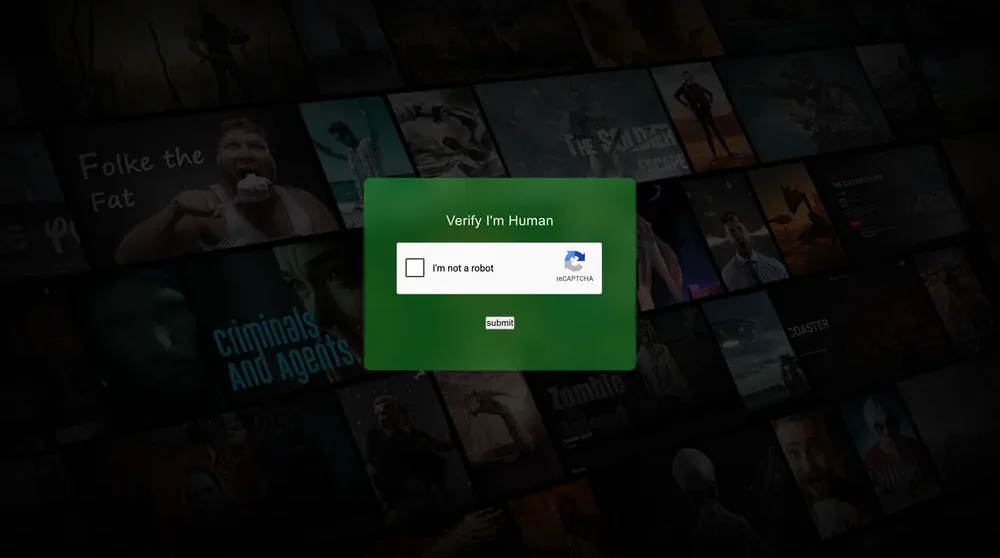
Open the URL
In any browser (Chrome, Safari, Firefox, Edge), type or paste net22.cc. Cloudflare CAPTCHA appears for 2 seconds — complete it.
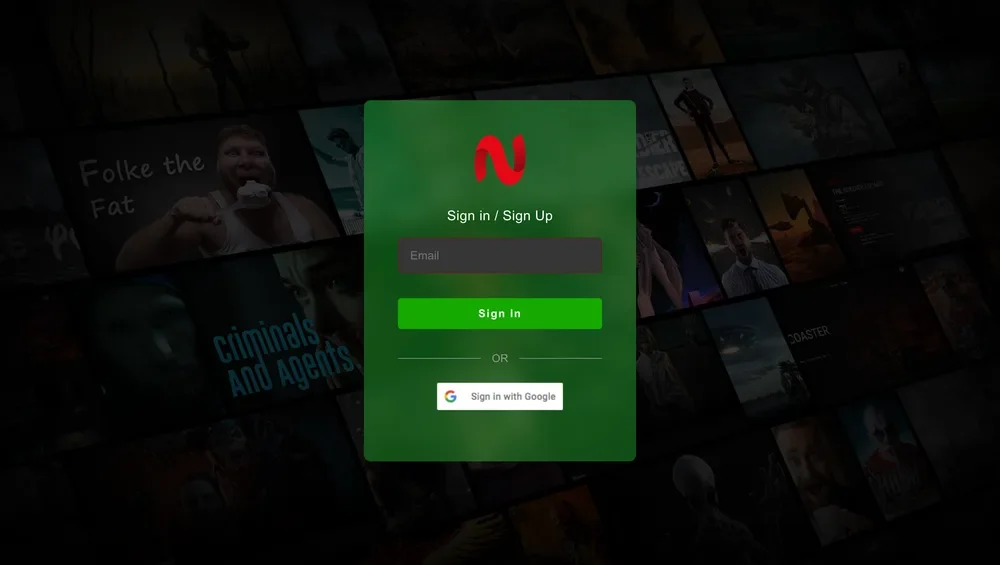
Sign In (30 sec)
First time only — enter email + password OR click "Sign in with Google" for one-click access. No card details, no phone number. Just an email.
Stream Instantly
Browse the home screen — Netflix, Prime, Hotstar, SonyLIV mirror tabs at the top. Click any title, hit Play. 1080p / 4K streaming starts in 2-3 seconds.
What you'll find inside
Same content library as the APK — accessed through your browser.
50+ OTT Mirror Tabs
Netflix, Prime Video, Disney+ Hotstar, SonyLIV, Zee5, Apple TV+, HBO Max, Crunchyroll — all under one roof.
Multi-Language Audio
Hindi, Tamil, Telugu, Bengali, English audio tracks on most Hollywood and Indian films. Switch mid-playback.
Universal Search
Type once, get results from every OTT mirror tab. No need to remember which platform has what.
Advanced Subtitles
Font size, color, background, timing offset (±10s) — better than most paid OTT player controls.
Quality & Speed
360p to 4K manual quality selector. Playback speed 0.5× to 2× without audio pitch issues.
Cast to TV
Chromecast on Chrome (Windows/Mac/Android), AirPlay native on Safari (Mac/iPhone), Smart TV via DLNA.
Watch History Sync
Continues from where you left off across browsers and devices — tied to your sign-in account.
Instant Start
Videos start in 2-3 seconds typically. Buffer-free on 25+ Mbps connections. Smooth on Indian ISPs (Jio Fiber, Airtel Xstream tested).
No Ads in Web
The browser version has zero ads. The Android APK shows 1 short ad per 24h — Web App is ad-free.
Web App vs Native APK — which should you use?
Quick answer: most people use both. Web on PC/Mac/iPhone, APK on Android phones & TVs.
| Feature | Web App 🌐 | APK 📱 |
|---|---|---|
| Install required? | ❌ No | ✅ Yes (49 MB) |
| Sign-up? | 📧 Email/Google | ✅ Zero signup |
| Works on PC/Mac? | ✅ Yes | ❌ Android only |
| Works on iPhone? | ✅ Safari/DODO | ❌ No |
| Offline downloads? | ❌ Streaming only | ✅ Yes |
| Daily ad? | ❌ Zero ads | ⚠️ 1 short/24h |
| URL stability | ⚠️ Rotates 4-6 weeks | ✅ Internal auto-update |
| 4K streaming | ✅ Yes | ✅ Yes |
| Best for | PC, Mac, iPhone | Android, Fire TV |
Most users I know use both — APK on phone + Web App on laptop. They share the same NetMirror backend, so watch progress carries over when signed in.
Safety, privacy & honest disclosure
What's verified safe, and what you should know upfront.
Verified Safe
- HTTPS encryption — no plain-text data
- No malware — it's a website, nothing installs
- No card details ever requested
- No phone number, no OTP
- NetMirror APK scanned VirusTotal: 2/57 PUP false positive
Be Aware
- Email sign-in stores your email server-side
- Watch history kept on NetMirror servers
- Use secondary email if you want extra privacy
- Legal status varies by country (full review)
- Consider VPN — see VPN guide
Browser compatibility
NetMirror Web App is built on standard HTML5 + HLS. Works on every modern browser.
Google Chrome
Best performer. All features, all platforms, smoothest playback.
Mozilla Firefox
Excellent. Minor stuttering on 4K HDR titles, otherwise flawless.
Apple Safari
Great on Mac & iPhone. Native AirPlay support.
Microsoft Edge
Same engine as Chrome. Works perfectly on Windows.
Brave Browser
Works — but disable Shields for NetMirror domain.
Opera
Works with built-in VPN. Good privacy option.
Frequently Asked Questions
Got questions? We have answers. Find everything you need to know below.
Is the NetMirror Web App free?
Do I need to install anything for the NetMirror Web App?
Why does the NetMirror Web App URL keep changing?
Is NetMirror Web App the same as the Android app?
Can I use NetMirror Web App on my iPhone?
Does NetMirror Web App work on Mac?
What's the difference between NetMirror Web App and NetMirror Web?
Is the NetMirror Web App safe?
Can I cast NetMirror Web App to my TV?
Does the NetMirror Web App have 4K streaming?
Can I download videos from the Web App for offline viewing?
Why does NetMirror Web App ask for sign-in but the Android app doesn't?
What browsers does NetMirror Web App support?
Ready to stream — no install needed
Open the NetMirror Web App in your browser right now. Works on PC, Mac, iPhone, Android, Smart TV.